
Redondo Beach police peeled 150 fake QR stickers off parking meters in 2024. Orlando recovered 200 more in June 2025. Austin reported 29 compromised pay stations in 2022. The stickers were better than the city's own: same font, same blue, same little arrow. A driver in a hurry could not tell the difference, and that was the point.
Treat every QR code as a bearer token, not a URL. Score it on the QR Trust Scorecard before scanning; anything under 6 of 10 means type the URL instead. Stickers on public infrastructure score 0 by default until a chain-walker proves the destination is honest.
The driver who scanned one of those stickers did not visit a phishing site by mistake. They followed the city's instructions exactly. The instructions had been edited overnight by someone with a printer.
This is the part of the QR code story that does not fit on a security poster. The attack surface is not a careless user. It is a paper rectangle that anyone with $40 of vinyl can amend after it has been bolted to a meter for a year.
QR codes are not URLs. They never were.
What's striking is that the mental model most people carry is that a QR code is "a link, but you scan it." That is wrong in a way that matters.
A URL appears in a browser address bar. Trust is a gradient, and a URL gives you the surface to evaluate it. You can hover over it. You can copy it. You can read the host before you decide. Browsers, mail clients, and chat apps spent twenty years building hover-preview, link-warning, and reputation-blocklist UI around that little blue underline, because they learned the hard way that an unverified hyperlink is the cheapest attack any human can deliver to any human.
A QR code skips all of it. The default phone camera renders the QR target as a tiny gray banner that almost nobody reads, and most users tap it the way they tap "OK" on a license agreement. The intent fires before the brain registers what it said. There is no hover. There is no inspection. There is no history. Apple's iOS and Google's Android both treat the scan-and-go behavior as a feature, not a confirmation step.
Worse, a QR code is not restricted to https://. The QR spec carries arbitrary text, which on a modern phone means arbitrary intent. otpauth:// writes a TOTP seed straight into your authenticator. WIFI: joins a network. tel: dials. matmsg: opens a pre-filled email to an address you have never seen. ethereum: hands a wallet a transaction to sign. bitcoin: populates a send screen with someone else's address. The QR registry catalog we maintain across our scanner stack has 222 distinct payload types, and the count is going up, not down. Each new one is a new way for "scan this" to mean something the scanner never explicitly agreed to.
The mental model should be: a QR code is a bearer token written on paper, executable by any phone in line of sight, with no preview UI. Treat it that way and the implications become clear.
Mutability is the killer property
The parking meter story is the easy version. The hard version is dynamic QR codes that look honest and turn malicious six months in.
A static QR code encodes the destination directly in the matrix. Reprint the code and you reprint the destination. A dynamic QR code encodes a redirect URL on a vendor's domain, and the vendor lets the account holder change the underlying destination from a dashboard at any time. QR vendors market this as a feature: update your menu, swap your promo, run A/B tests on landing pages, all without reprinting the placard. The same control surface lets a compromised account, a lapsed subscription, or a hostile former contractor redirect every printed code that ever shipped.
I have written before about how the QR-vendor business model is mostly a redirect-server rental, and how letting your subscription lapse can quietly kill every business card you have ever handed out. The security version of that story is darker. The same redirect server that goes silent on a lapsed account can also be told to point at anywhere, and the printed code on the wall has no idea the destination has changed.
This is the property our QR safety scanner exists to measure. The check is not "does the URL look phishy." The check is "how many redirect hops does this code take before it lands, and how many of those hops belong to a party that can rewrite the destination tomorrow?" A clean dynamic QR routed through three shorteners with three different account holders is structurally less trustworthy than a static QR pointed at a sketchy-looking host that at least cannot mutate. The industry has spent a decade marketing the opposite intuition.
Four ways a QR code hurts you
The taxonomy is small enough to memorize. Most reported incidents fall into one of these four buckets.
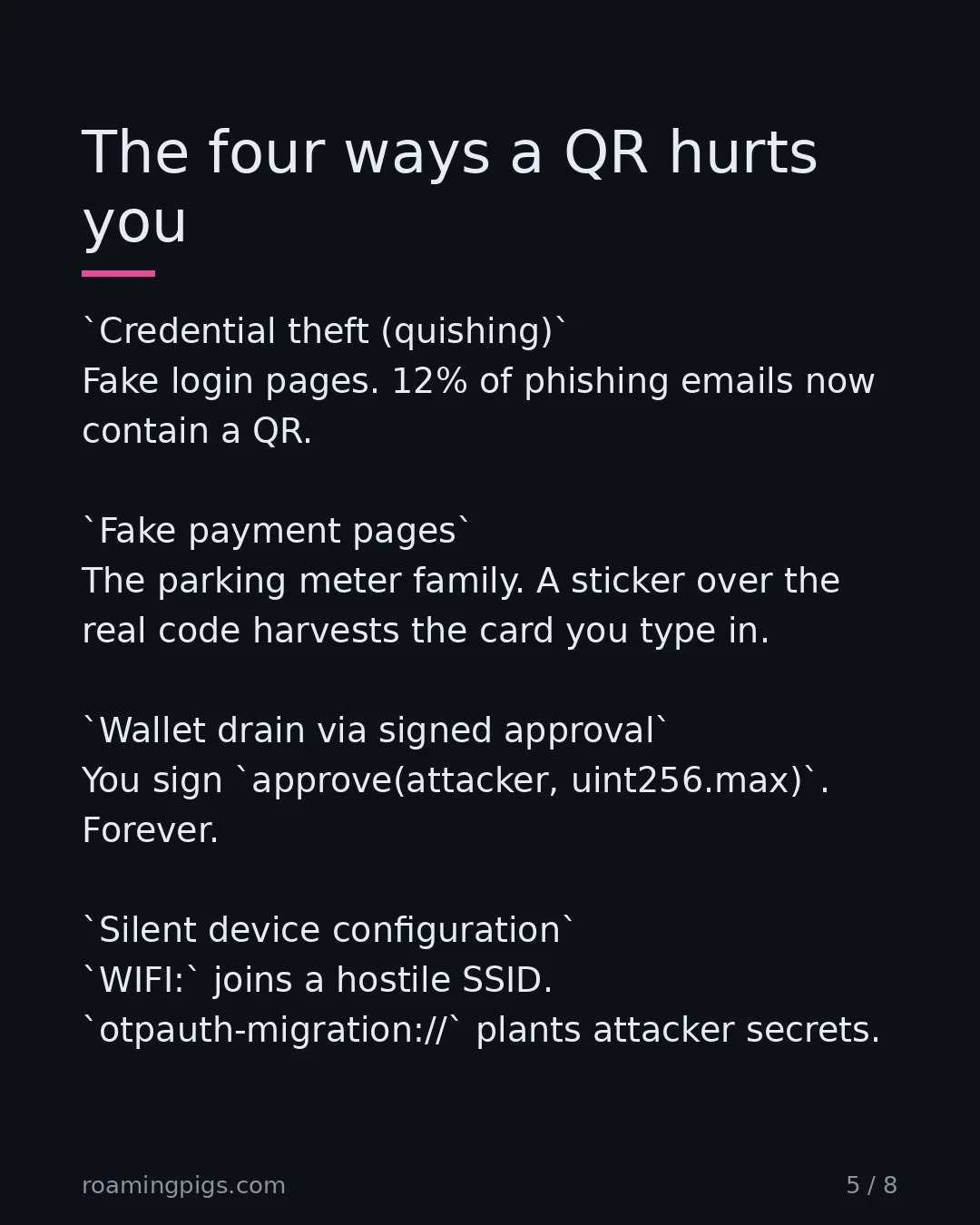
Credential theft (quishing). The QR sends you to a fake login page, usually Microsoft 365 or a bank. According to Keepnet's 2025 corpus analysis, QR-based phishing emails rose from about 47,000 in August 2025 to over 249,000 in November, and 12% of all phishing attacks now contain a QR code. The FBI flash alert dated January 8, 2026 warned that quishing campaigns are routinely ending in session-token theft that bypasses MFA, because the attack moves from the email surface (where security tools watch) to the mobile surface (where they do not).
Fake payment pages on public infrastructure. The parking meter family. A sticker goes over the real code and sends you to a page dressed as the city's payment portal, which captures the card you type into it. The parking fee is not the loss. The card is. NYC DOT, Orlando, and Cherry Creek all reported the same pattern within a six-week window in mid-2025, on top of the Redondo Beach wave the year before.
Wallet drain via signed approval. The QR encodes a wc: WalletConnect session or an ethereum: transaction. The user thinks they are connecting a wallet to a dApp. The transaction they sign is an approve() call granting unlimited token allowance to the attacker's contract. Cyfirma documented a Trust Wallet variant running through Telegram distribution and deep links. Total drainer losses fell to roughly $84M in 2025, down 83% from 2024, across about 106,000 victims, averaging roughly $790 per drained wallet. The aggregate number is shrinking; the per-incident attack mechanics are not. Quishing keeps showing up as the delivery channel because email filters don't read the image and phones don't pre-walk the chain.
Silent device configuration. The least appreciated category. A WIFI: QR joins your phone to a hostile SSID. An otpauth-migration:// QR imports an attacker's authenticator secrets into your Google Authenticator alongside your real ones, where they sit waiting to be tapped by mistake. A configuration profile QR on iOS walks the user through the multi-step prompt to install and trust a root certificate, which most users will click through because the dialog looks like the same one their employer's MDM uses. None of these involve a phishing page. There is nothing for a URL blocklist to block.
What the wallet drainer actually looks like at the byte level
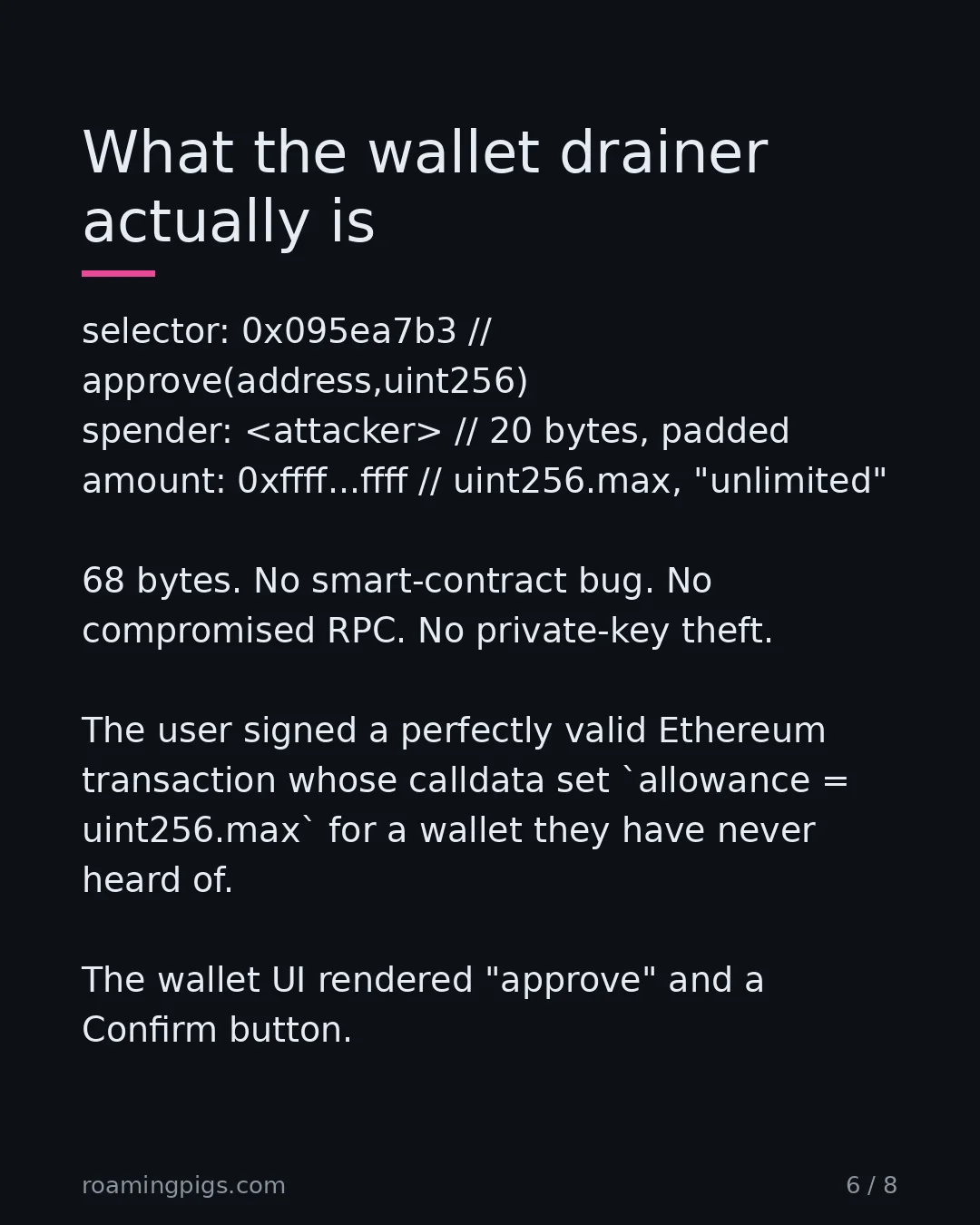
The polite version of "an approve() call grants unlimited token allowance" is what gets typed into security blog posts. The impolite version is a 68-byte payload that the wallet renders as a confirmation screen with a soft blue button.
$ # ERC-20 approve() calldata that drains the victim
selector:  0x095ea7b3                   keccak256("approve(address,uint256)")[:4]
spender:   000000000000000000000000     12 bytes
           <attacker_contract>          + 20 bytes, left-padded into 32
amount:    ffffffff ffffffff ffffffff   uint256.max
           ffffffff ffffffff ffffffff   (2^256 - 1, "unlimited")
           ffffffff ffffffff

$ # Decoded: "approve <attacker> to move ALL of your USDT, forever."
$ # Wallet UI:  "Connect to dApp?  [Confirm]"
User taps Confirm. Wallet posts the tx. Bank cannot reverse it.
That is the whole exploit. There is no smart-contract bug, no compromised RPC, no private-key theft. The user signed a perfectly valid Ethereum transaction whose calldata happened to set allowance = uint256.max for a wallet they have never heard of. The wallet UI does not render the spender address against a brand list. It does not warn that 0xffff…ffff is a 78-digit number. It renders "approve" and a Confirm button. The same pattern shipped against Trust Wallet through Telegram-distributed QRs in 2026.
The iOS configuration-profile version is the same idea in a different syntax: a 200-line .mobileconfig XML blob containing a PayloadType of com.apple.security.root, signed by an unknown CA. The installation prompt does not by itself enable HTTPS interception. Since iOS 10.3, the user has to navigate to Settings → General → About → Certificate Trust Settings and toggle full trust on for that CA. The catch is that the rest of the profile (Wi-Fi configs, VPN, calendar subscriptions, restrictions) installs and binds the moment the prompt is accepted, and the certificate-trust dialog looks identical to the one a corporate MDM uses on the first day of a new job, because it is the same dialog. Users who have been onboarded into a job in the last decade have been trained to flip exactly the toggle the attacker needs.
The reason your phone is the worst place to make this decision
Email clients warn you when a link does not match its anchor text. Browsers warn you about expired certificates and known-malicious hosts. Slack expands a link into a preview card before you click. Every workflow built around HTTP has thirty years of trust UI bolted on.
The camera app on your phone has none of that. The QR target text shows up in a six-point font in a translucent overlay you can dismiss with a sloppy thumb. There is no certificate UI. There is no domain reputation lookup. There is no preview of what the wallet is about to ask you to sign. There is just a "Tap to open" affordance and the muscle memory of a thousand correct scans.
Two scan stacks, two trust models
HTTPS LINK (30 YEARS OF UI)              QR SCAN (NONE OF IT)
─────────────────────────────            ─────────────────────────────
hover preview     ✓                      hover preview     ✗
anchor mismatch warning ✓                anchor concept    ✗
TLS cert UI       ✓                      cert UI           ✗
mixed-content block ✓                    scheme inspection ✗
SafeBrowsing block ✓                     reputation lookup ✗
shortener expand on hover ✓              redirect chain    ✗
copy-link affordance ✓                   copy-target       6-pt overlay
tab history       ✓                      scan history      ✗

       ┌──────────────┐                       ┌──────────────┐
       │  user reads  │                       │  user points │
       │  before tap  │                       │  camera, taps│
       └──────┬───────┘                       └──────┬───────┘
              │                                      │
              ▼                                      ▼
       browser fetches                        OS fires intent
       (revocable)                            (non-revocable)
The asymmetry is not subtle. One side has three decades of warning UI; the other side has a six-point banner and a tap. Both ship the same intent across the same wire to the same destination. The difference is only what the user got to see before submitting.
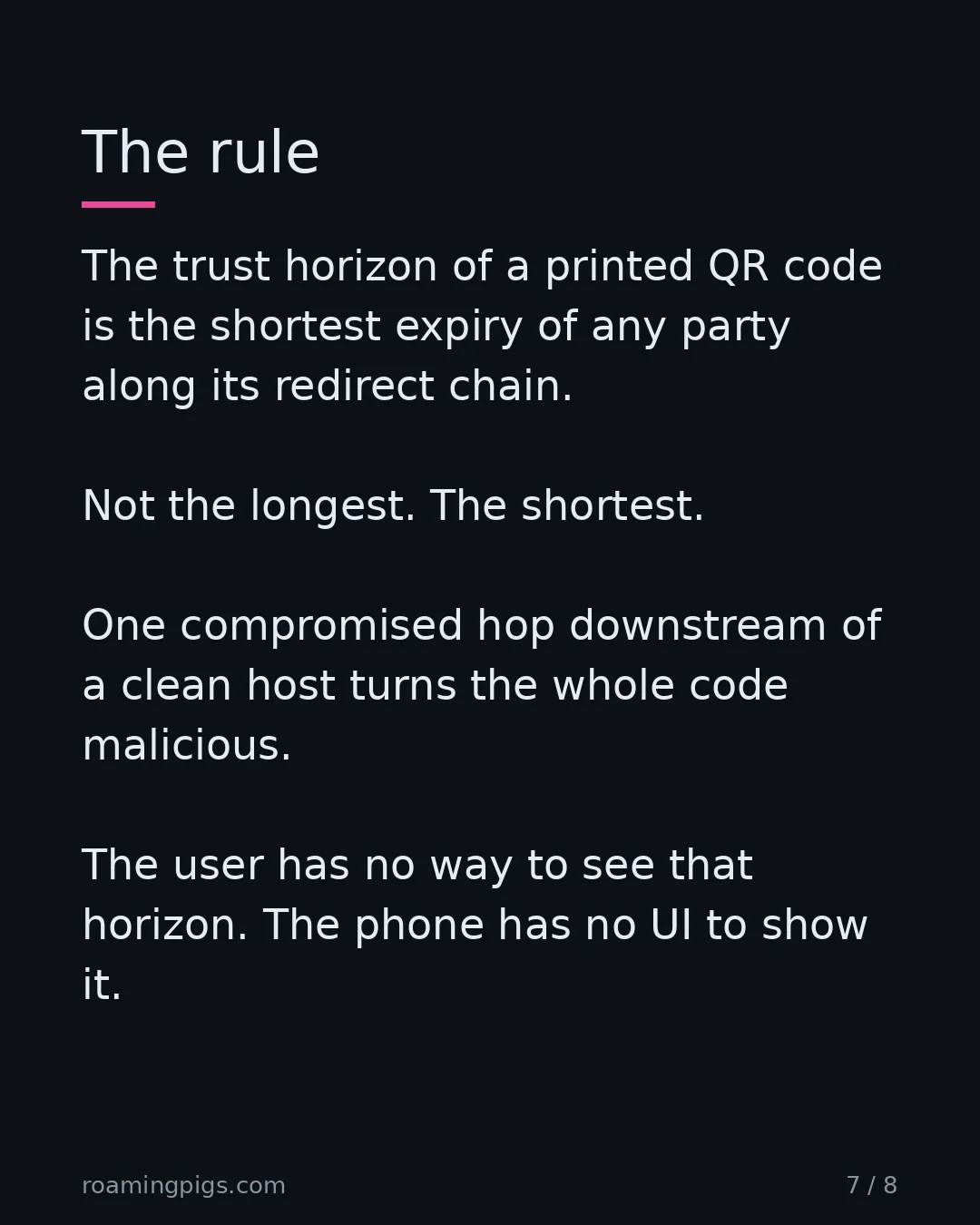
The trust horizon of a printed QR code is the shortest expiry of any party along its redirect chain. The user has no way to see that horizon. The phone has no UI to show it. I have been building the scanner that tries to fix this, and the most uncomfortable thing I have learned is that almost every safety check that matters is too expensive to run on the device before the intent fires. Walking a redirect chain takes round-trips. Looking up a destination in a reputation database takes a network call. Decoding an EMV payment string and cross-referencing the merchant ID takes a server. None of this can happen in the 200 milliseconds between "camera sees QR" and "wallet pops a confirm dialog." So phones do not do it. So the user is the firewall. So the user loses.
What to actually do
Most security articles offer a checklist that ends with 'stay vigilant.' That is not a strategy; it is an apology. Instead, here is a scoring grid you can run on any QR you are about to scan in the next thirty days. Anything under 6 out of 10 means use your bank's app or a typed URL instead.
QR Trust Scorecard (10 points)
| Signal | Points | Why |
|---|---|---|
| The code is printed directly on the surface, not a sticker | +2 | Stickers are the parking-meter attack. Painted, embossed, or laminated-under-glass codes are harder to overlay. |
| The host visible in the scan preview matches the brand on the placard | +2 | Most quishing fails this. If a Starbucks placard scans to starbux-promo.app, walk away. |
| The destination is HTTPS to a domain you recognize, not a shortener | +2 | Shorteners hide one hop of mutability. Two shorteners hide three. |
| The QR is in a context where the cost of being wrong is low | +1 | Restaurant menu: low. ATM screen: high. Calibrate your suspicion to the blast radius. |
The scheme is https, not otpauth, WIFI, ethereum, or wc | +1 | Non-URL schemes execute against your phone's intent stack. Most users have no model for what they do. |
| You verified the destination with a safety scanner before opening | +2 | This is the only check that survives a sticker overlay. The other six can be faked. Chain-walking cannot. |
0-5: don't scan. 6-7: scan with a safety tool first. 8-10: probably fine, scan with your eyes open.
For engineers: trace the chain from the terminal
If you have a suspect QR and access to a shell, you do not need a phone to find out where it lands. curl walks the redirect chain in three lines, prints every hop's status code, and never executes any of the destination's JavaScript. Decode the QR first with zbar (or any web decoder you trust), then pipe the URL through this:
qrunroll() {
  # Walks all redirects, prints every hop, never executes destination JS.
  curl -sIL -A "Mozilla/5.0" --max-redirs 20 --connect-timeout 5 "$1" \
    | awk 'tolower($0) ~ /^http\//      {hop++; print "  [" hop "] " $0}
           tolower($0) ~ /^location:/   {print "       " $0}'
}

# Decode a QR image to text, then trace it
zbarimg --raw suspicious.png | while read -r url; do qrunroll "$url"; done
What to watch for: any hop on a different apex domain than the placard's brand; any hop on a known shortener (bit.ly, t.co, tinyurl, buff.ly, vendor-branded shorteners like qrco.de and l.qr-code-generator.com); any hop whose TLD does not match the host you expected; chain length above three. Three is usually a vendor + a tracker + a destination; five means somebody is hiding something.
The procurement side: what to demand from a dynamic-QR vendor
Most of this attack surface lives inside legitimate vendor accounts that got phished, sold, or abandoned. If your company prints dynamic QR codes on packaging, signage, business cards, or physical assets, the vendor's account-security posture is your trust horizon. Treat the contract accordingly.
- Destination-change audit log. Every URL mutation logged with timestamp, IP, user, prior value. Exportable to your SIEM. No vendor-side soft-deletes.
- Immutable mode per code. A per-code flag that freezes the destination after a published date. Once set, vendor support cannot unfreeze without dual approval. Use this on anything printed in production.
- Destination allowlist at the account level. A regex or domain list that bounds what any code can ever redirect to.
^https://([a-z0-9-]+\.)*acme\.com/means a compromised account still cannot point at a phishing host. Anchor the host, not the string: the obvious^https://.*\.acme\.com/.*$passeshttps://evil.com/.acme.com/pay, because the leading.*is happy to match a whole different origin and find your domain in the path. - Mandatory MFA + WebAuthn on dashboard logins. SMS does not count. If the vendor still ships SMS-only 2FA, walk away.
- Delegated admin and least-privilege roles. Print operators do not get destination-write. Marketing does not get admin. The break-glass account is hardware-key only.
- Account-takeover notification within 24 hours. Including the disclosure clock and the audit-log export, contractually. No "you will be informed in due course" language.
- Subscription-lapse behavior. Written into the contract: when payment lapses, redirects return a documented HTTP status the brand controls, not a vendor parking page. Otherwise the lapse becomes the attack (see the redirect-server rental model).
- Per-domain DNS delegation. The redirect host is your subdomain (
qr.acme.com) on your DNS, CNAME'd to the vendor. If the relationship ends, you keep the printed codes; if the vendor gets breached, your DNS is the cutoff.
If your QR vendor cannot answer all eight in writing, you do not have a vendor. You have an indefinite-tenure tenant on the back of every code you have ever printed.
Three habits that go further than any single scan check.
- Type the URL when stakes are real. If the QR is for paying a parking meter, a hospital bill, or any government surface, find the URL on the website with your fingers. Cities and agencies almost always publish the same payment URL on their official site that the meter sticker is supposed to link to. The five-second savings of a QR is not worth the bearer-token property.
- Treat any QR sticker on public infrastructure as compromised until proven otherwise. Cherry Creek, Orlando, and Redondo Beach had no idea their meters were salted with fake codes for weeks. The city's quality bar for sticker-monitoring is not your bank's quality bar for transaction verification.
- Run an unfamiliar QR through a scanner that walks the redirect chain before your phone executes the intent. The whole point of a chain-walker is to give you the horizon view the camera app refuses to. Our free one is what we built when we got tired of writing this same advice into every customer support ticket. There are others. Use any of them; just stop relying on the camera app's six-point preview text.
When This Works (and What to Watch For)
QR codes are not always a trap. They work safely when (a) the QR is generated and printed by the same trusted party, (b) the URL pattern is verifiable without scanning (a brand domain, not a redirect), and (c) the destination handles payment via a known authentication flow (Apple Pay, Google Pay) rather than a card form. The exception that proves the rule: a sticker on your own product, pointing at your own domain, with a known fallback.
This pattern fits the broader QR safety landscape covered in the QR industry shakedown and the privacy worries in the ASR privacy paradox.
Monday Morning Checklist
- Inspect any QR sticker before scanning — look for layered or recently-applied stickers.
- Don't enter payment details from a URL reached via a QR code on public infrastructure.
- Report suspicious QR stickers to the property operator (city, business) before walking away.
The Bottom Line
QR codes won the race against NFC for the same reason cash won against bank drafts. No infrastructure dependency, no battery, no firmware, no central party who can turn them off. The cost of that universality is that the trust layer was never built. The QR code is a 1994 industrial-tracking format draped across a 2026 mobile payments stack, and the gaps between the two are where the parking meter stickers and the wallet drainers and the FBI flash alerts live.
Phones will not fix this. The friction of any honest pre-scan check is exactly the friction the camera app was designed to eliminate. The fix is to stop trusting the printed surface and start trusting a tool that walks the chain before the chain walks you.
Next time you reach to scan a QR sticker on a piece of public infrastructure, ask yourself which city employee was the last person to verify it. If the answer is "nobody, ever," type the URL.
"The trust horizon of a printed QR code is the shortest expiry of any party along its redirect chain. The user has no way to see that horizon. The phone has no UI to show it."
Sources
- NYC DOT Issues Parking Meter Scam Advisory — NYC DOT advisory documenting fake QR stickers placed on parking meters directing users to fraudulent third-party payment pages.
- Warning issued over fake QR codes on downtown Orlando parking meters — Orlando recovered approximately 200 fake QR code stickers from downtown parking meters in mid-2025.
- Southern California police warn about parking meter QR scammers — Redondo Beach police found approximately 150 fake QR code stickers on or near legitimate payment stickers on parking meters.
- FBI IC3 Flash Alert: Quishing campaigns and session-token theft — FBI flash alert AC-000001-MW on quishing campaigns ending in MFA-bypass session-token theft via unmanaged mobile devices.
- QR Code Phishing Statistics and Quishing Trends — Quishing emails grew from ~47,000 in August 2025 to over 249,000 in November 2025; 12% of all phishing attacks now carry a QR code.
- Silent Crypto Wallet Takeover via Trust Wallet QR Code Phishing — Cyfirma analysis of a QR-delivered phishing flow that abuses Trust Wallet deep links to trigger unlimited USDT approve() calls.
- Wallet Drainer Phishing Losses Fall to $84M in 2025, Down 83% — Total wallet-drainer losses fell to $83.85M in 2025 across roughly 106,000 victims
- QR Code Redirection: Everything You Need to Know — Vendor documentation describing dynamic QR code redirection: changing the destination URL of a printed QR code from the vendor dashboard without re-printing.

Disagree? Have a War Story?
I read every reply. If you've seen this pattern play out differently, or have a counter-example that breaks my argument, I want to hear it.
Send a Reply →